pyArchitect 1.4: Batch tools
The new Batch panel in pyArchitect runs IFC export and Navisworks view setup across whole folders of Revit models without opening a single document.
Opening 40 models one by one to export IFC is over.
The new Batch panel in pyArchitect runs your coordination and export work across whole folders of Revit models, and you don’t need to open a single document.
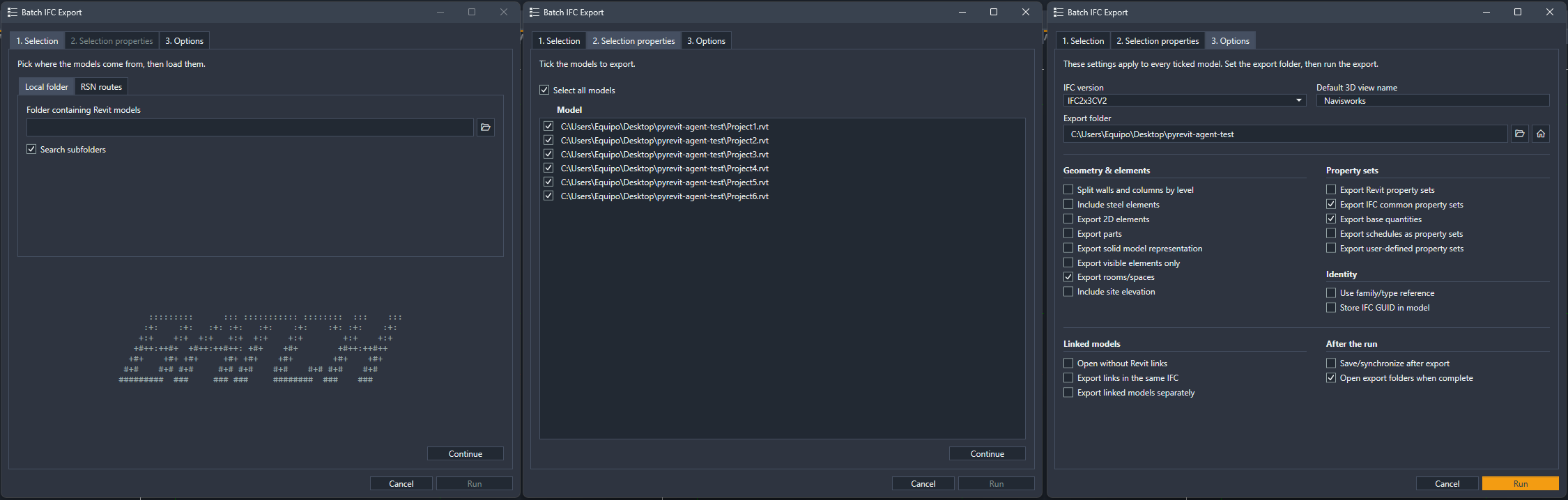
Batch IFC Export
Pick the models, choose the IFC version, property sets, base quantities and how links are handled, then walk away. Every model is opened in the background, its 3D view is resolved and exported, and a report is waiting when you come back.
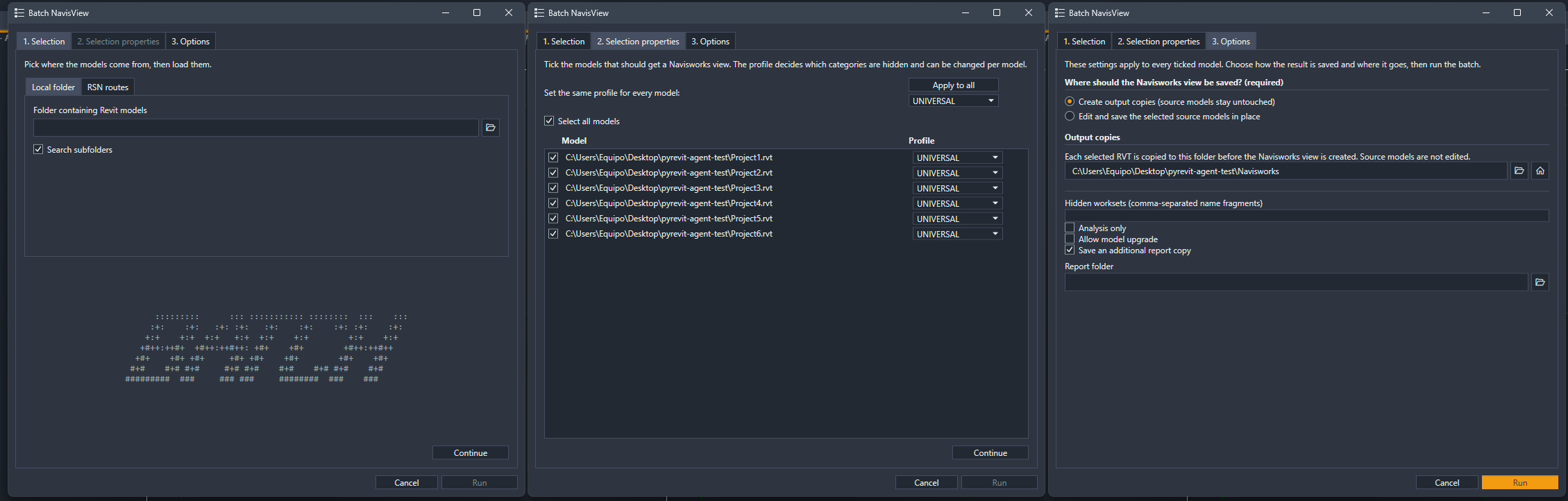
Batch NavisView
Sets up a Navisworks-ready 3D view in every model. Profiles decide which categories are hidden. They are guessed from the file name, and you can change them per model. Write copies to a folder or save the source models in place.
Picking models
Load models from a local folder (optionally including subfolders) or from Revit Server routes, then check and adjust each model before anything runs.
The vision
These two tools are only the start. Batch is built on a shared engine: one form, one config, one processor. Every new operation plugs into the same model picking, the same per-model options and the same reporting.
Next, I want more of the repetitive work that eats a BIM coordinator’s week to become a single click on Friday evening.
Your models, all at once.
pyArchitect is free and open source: github.com/romangolev/pyArchitect